Throw Key to Escape Prison Controls Guide (PC & Mobile)
Throw meter, movement, inventory, cell unlocks, and base interactions — mapped for both keyboard and touch.
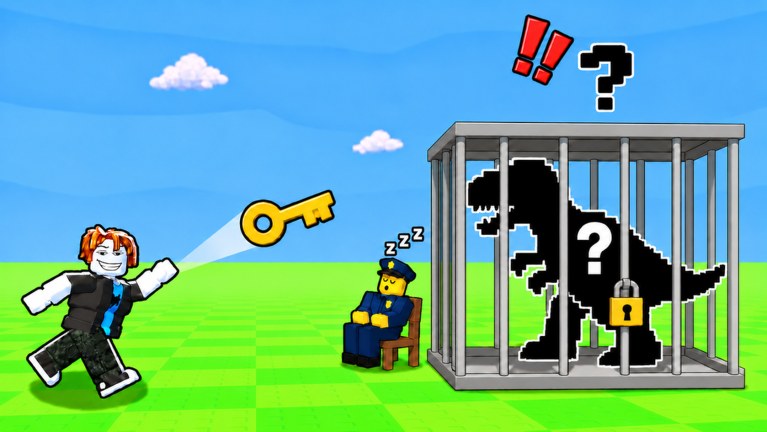
Clean inputs win runs in Throw Key to Escape Prison. The fantasy loop — throw a key, unlock prison cells, free animals, escape police before BUSTED, park earners on your base, then buy better keys — fails when the throw meter misfires, you cannot find the interact prompt, or mobile touch fights the camera. This controls guide covers PC and mobile habits for the meter, movement, inventory / key equip, cell and base interactions, and common input mistakes. Pair it with How to Throw for timing skill and Getting Started for the first-session route.
Exact button labels can shift after hotfixes from Escape Police For Animals. Treat this page as a systems map: if a prompt renamed after the 2026-11-28 experience bump, the job of each control stays the same even when the icon moves.
Throw meter — the skill gate
The throw meter is the most important control in the game. On PC, you typically hold or tap the throw bind near the throw zone, watch the power / timing bar, then release on the window that matches your target cell band. On mobile, the same loop is a hold-and-release on the on-screen throw button; fat-finger releases are the usual fail state.
Build a fixed pre-throw ritual:
- Stand on the legal throw pad / throw zone facing the cell row you named.
- Equip the key you actually intend to throw (see inventory below).
- Warm up with one short calibration toss if you just respawned or swapped keys.
- Commit the real throw only when the camera is stable and police are not already collapsing your planned exit.
- Move the instant an unlock succeeds — do not babysit the animation.
If releases feel random, the problem is usually camera drift or changing stance between tosses, not “broken controls.” Lock a camera height and foot position so your eyes learn one meter rhythm. Deep timing advice lives on How to Throw.
Movement and chase inputs
PC: standard WASD (or arrow) movement, Shift sprint if the place exposes it, and mouse look. During police chases, strafe around corners early — late direction changes are how escorts get clipped. Jump only when geometry demands it; random hopping slows animal shepherding and desyncs your camera from the path.
Mobile: virtual joystick plus camera drag. Keep the joystick thumb planted near the edge of the pad so micro-adjustments do not cancel sprint momentum. When freeing animals, finish the interact, then immediately push the joystick toward your pre-chosen home route instead of spinning the camera first.
In five-player lobbies, movement etiquette matters. Do not body-block the throw pad while someone is mid-meter. Call your lane on the run home so two escorts do not pinch through the same choke into a patrol.
Inventory and key equip
Keys are tools, not fashion. Open your inventory / hotbar, equip the key tier you mean to use, and confirm the world model matches before you touch the meter. Players often throw the starter key by accident after buying an upgrade because the shop purchase did not auto-equip.
Control habits that save cash:
- After any shop buy, open inventory and equip before returning to the throw zone.
- Name the key out loud (“mid luck key”) so you notice mismatches.
- Do not swap keys mid-chase unless the UI forces it — inventory menus during BUSTED pressure lose animals.
- On mobile, pin the key slot you use most so accidental taps do not cycle tools.
Relative upgrade advice (without invented prices) sits on the keys tier list. Controls only ensure the key you paid for is the key that leaves your hand.
Interacting with cells
After a successful throw unlocks a cell band, move to the interact prompt on the cell or animal. PC players usually press the proximity key (commonly E / interact) when the highlight appears. Mobile players tap the on-screen interact button. Free only the animals you planned to escort — every extra free extends time-to-home and raises police risk.
If the prompt does not appear:
- Step closer; many prompts are distance-gated.
- Check that the throw actually unlocked this row, not a neighbor.
- Wait one second for replication on busy frames, then retry.
- Rejoin if prompts are globally missing after a patch (see November 28 update).
Never stand in the open mashing interact while cops path to you. Free, turn, run.
Base and plot interactions
Your animal base is where income happens. Controls here are quieter but easy to skip under adrenaline:
- Walk onto the plot and use the place / assign prompt so animals actually station.
- Collect income with the collect / claim control whenever you touch home — unclaimed cash cannot buy keys.
- Open plot management UI to swap a weak earner for a stronger free when slots are full.
- Leave the menu before the next throw so you are not trapped in UI during a chase.
Detailed economy habits live in Animal Base. Controls just make sure parked animals are truly parked.
PC versus mobile quick map
| Action | PC habit | Mobile habit |
|---|---|---|
| Throw | Hold/release throw bind on pad | Hold/release on-screen throw |
| Aim | Mouse look + locked stance | Drag camera, then freeze |
| Move / sprint | WASD + sprint key if available | Joystick edge + minimal camera spin |
| Free cell | Proximity interact key | On-screen interact tap |
| Equip key | Inventory / hotbar number | Inventory panel → equip |
| Collect income | Plot claim prompt | Plot claim button |
Accessibility and comfort tips
- Lower camera sensitivity if meter releases always overshoot.
- Raise FOV slightly on PC if you lose police in peripheral vision during chases.
- On mobile, enable any “larger buttons” or touch shift options your device offers so throw and interact do not overlap.
- Take a one-throw break after two busts — tilted thumbs release late.
Common control mistakes
- Releasing the meter while still adjusting the camera.
- Forgetting to equip a newly bought key.
- Opening inventory in the middle of a police lane.
- Freeing every highlighted animal because the prompt is satisfying.
- Collecting income only at session end instead of every home touch.
Practice drill (three minutes)
- Ten calibration throws focusing only on identical stance and release.
- Two unlock → free → home loops with a tiny animal count.
- One inventory check: confirm equipped key matches your plan.
- One base touch: place, collect, exit UI cleanly.
When inputs feel invisible, shift attention to strategy pages: Escape Police for chase routes, Progression for when to push new areas, and Getting Started if the whole loop is still fuzzy. Controls are the quiet foundation — once they are boring, everything else gets easier.
Frequently Asked Questions
Quick answers for Throw Key to Escape Prison.
What is the most important control to master first?
The throw meter hold-and-release. Consistent timing unlocks the cells you need; movement and menus matter after that.
Why did my new key not throw farther?
Often it never equipped. Open inventory after buying, equip the new key, then recalibrate the meter once before a committed throw.
Mobile throw keeps missing — is the game broken?
Usually fat-finger releases or camera drag during the hold. Freeze the camera, use a larger throw button area, and practice short tosses.
Which guide should I read after controls?
How to Throw for meter skill, Getting Started for the full loop, then Escape Police once unlocks start succeeding.